anjukp2dec@gmail.com

WordPress vs Blogger – Which Is Better for Beginners?

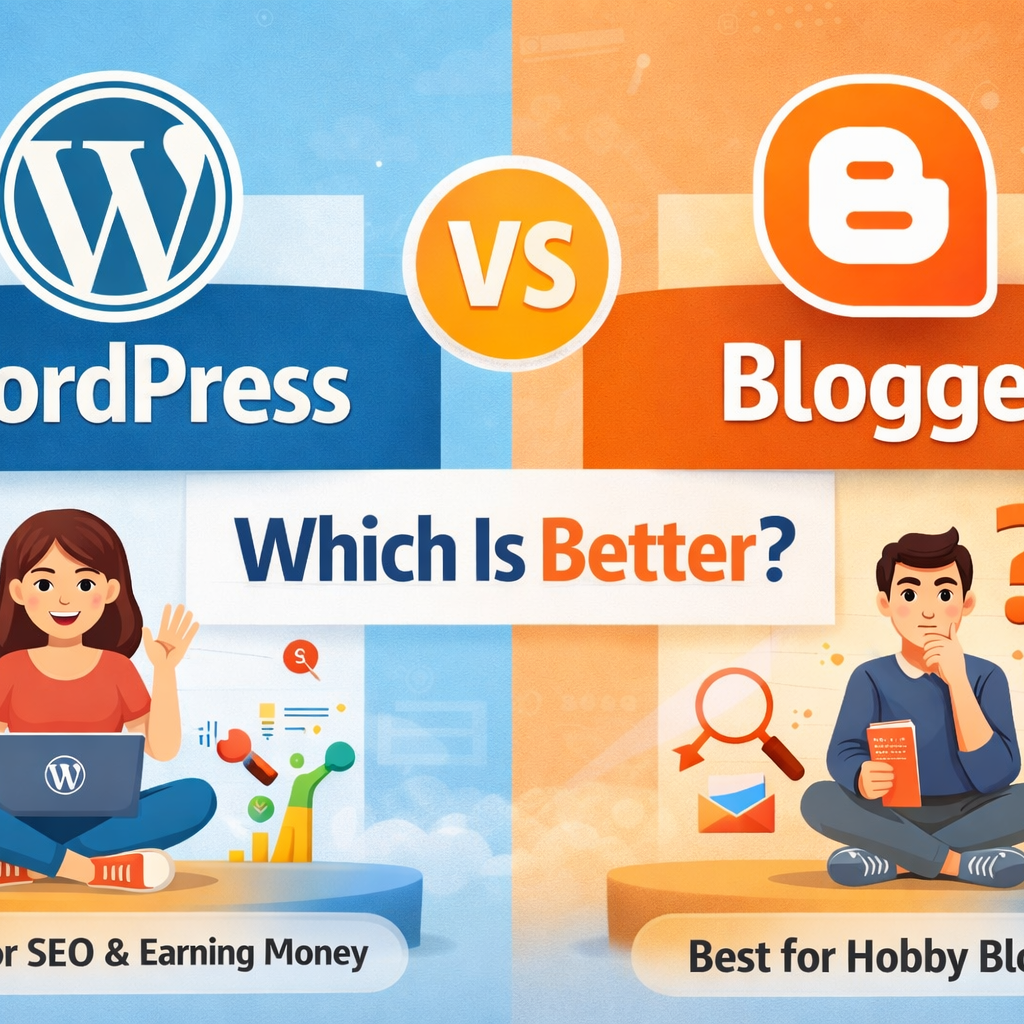
If you want to start a blog, one common question is:WordPress vs Blogger – which is better? Both platforms are popular and beginner-friendly, but they are different in features, control, and growth.In this article, I’ll explain the difference between WordPress and Blogger in simple words, so you can choose the right one for your blog. If you are completely new to blogging, read our detailed guide on How to Start a Blog Using WordPress before choosing the right platform. What Is WordPress? WordPress is a powerful website and blogging platform.It allows you to create blogs, business websites, and even online stores. There are two types: WordPress.org (self-hosted – recommended) WordPress.com (hosted)  For serious blogging and SEO, WordPress.org is best. WordPress is the best choice for beginners who want long-term growth. Learn the complete process in our guide How to Start a Blog Using WordPress – Step-by-Step What Is Blogger? Blogger is a free blogging platform owned by Google.It is very easy to use and suitable for beginners who want to blog as a hobby. You don’t need to buy hosting because Google provides it for free. WordPress vs Blogger: Quick Comparison Feature WordPress Blogger Ownership You own your website Google owns the platform Hosting Paid hosting needed Free hosting Customization Unlimited Limited SEO Very powerful Basic Plugins Thousands available Not available Monetization Full control Limited Best for Long-term & professional blogs Hobby blogs Ease of Use – Which Is Easier? Blogger is easier for complete beginners WordPress has a small learning curve but is still easy  If you can use a smartphone, you can learn WordPress easily. Design & Customization WordPress Thousands of free & paid themes You can fully customize your site Suitable for personal branding & business Blogger Very few themes Limited customization Looks basic ✅ Winner: WordPress SEO Comparison (Very Important) WordPress SEO SEO plugins like Rank Math & Yoast Full control over URLs Better speed optimization Easy internal linking Blogger SEO Basic SEO features Limited optimization options Harder to rank for competitive keywords ✅ Winner: WordPress (Best for Google ranking) Monetization & Income Options WordPress You can earn using: Google AdSense Affiliate marketing Freelancing Courses & services Blogger Mostly AdSense Limited monetization options  If you want serious income, WordPress is better. Security & Control WordPress: You control backups, security, and data Blogger: Google controls everything  If Google closes Blogger in future, your blog may be affected. Cost Comparison Platform Cost Blogger Free WordPress ₹2,000 – ₹4,000 per year (domain + hosting) 💡 WordPress is an investment, not an expense. WordPress vs Blogger – Which Is Better for You? Choose Blogger if: You want free blogging Blogging is just a hobby You don’t care much about growth Choose WordPress if: You want to build a career You want traffic from Google You plan to earn money You want full control Final Verdict WordPress is better than Blogger for: SEO Professional blogging Freelancing Long-term success If you are serious about blogging, WordPress is the best choice.

WordPress vs Blogger – Which Is Better for Beginners? Read More »
How to Start a Blog Using WordPress – Step-by-Step Guide for Beginners

Starting a blog is one of the best ways to share your knowledge, build an online presence, and earn money online.In this guide, you will learn how to start a blog using WordPress, explained in simple and easy language. Even if you are a beginner, don’t worry — you can start today 👍 What Is a Blog? A blog is a website where you regularly publish content (articles) on a specific topic such as: Digital marketing Education Cooking Parenting Technology Personal experiences Blogs help you: Share knowledge Build trust Get website traffic Earn money through ads and freelancing Why Choose WordPress for Blogging? WordPress is the most popular blogging platform in the world. Benefits of WordPress: Easy to use (no coding needed) Free and open-source SEO-friendly Thousands of themes and plugins Perfect for beginners 👉 More than 40% of websites use WordPress Step 1: Choose a Blog Topic (Niche) Before starting, decide what your blog is about. Choose a niche you: Like or enjoy Have some knowledge about Can write regularly Example blog niches: Digital Marketing Online Jobs Education & Learning Parenting & Kids Health & Lifestyle 📌 Tip: Don’t choose too many topics. Focus on one main niche. Step 2: Buy a Domain Name & Hosting To start a WordPress blog, you need: Domain name – Your website name (example teletech24.com) Hosting – Space where your website files are stored Popular hosting providers: Bluehost Hostinger SiteGround Most hosting companies provide: Free domain One-click WordPress installation Step 3: Install WordPress After buying hosting: Login to your hosting account Find “Install WordPress” Click install Set username and password That’s it! Your WordPress website is ready. Step 4: Choose a WordPress Theme A theme controls how your blog looks. Good beginner themes: Astra GeneratePress Kadence OceanWP How to install a theme: Go to WordPress Dashboard Click Appearance → Themes → Add New Search theme name Click Install → Activate 📌 Choose a simple and fast theme for SEO. Step 5: Install Important Plugins Plugins add extra features to your blog. Must-have WordPress plugins: Yoast SEO / Rank Math – for SEO WPForms – contact form WP Rocket / LiteSpeed Cache – speed UpdraftPlus – backup Akismet – spam protection 📌 Don’t install too many plugins — it slows your site. Step 6: Create Important Pages Every blog should have these pages: About Us Contact Us Privacy Policy Disclaimer These pages build trust and Google approval. Step 7: Write Your First Blog Post Now comes the main part — content writing. How to write a blog post: Go to Posts → Add New Write a clear title Use headings (H2, H3) Write short paragraphs Use simple English Example first blog topics: What Is Digital Marketing? How I Started My Blogging Journey Beginner’s Guide to SEO Step 8: Do Basic SEO for Your Blog SEO helps your blog rank on Google. Basic SEO tips: Use keywords in title and headings Write helpful content Add internal links Use images with alt text Write meta title & description 📌 Install Rank Math or Yoast SEO for easy optimization. Step 9: Publish & Share Your Blog After writing: Preview your post Click Publish Share your blog on: WhatsApp Facebook LinkedIn Instagram This helps you get initial traffic. Step 10: Be Consistent Blogging is not a one-day job. For success: Post at least 2–3 blogs per week Focus on SEO Be patient Keep learning 📌 Results may take 3–6 months, but they are long-term. Final Thoughts Starting a blog using WordPress is easy, affordable, and powerful.With the right topic, consistent effort, and SEO, you can build a successful blog. If you are a beginner, homemaker, or career restarter, blogging is a great option 💻✨ Focus Keyword:

How to Start a Blog Using WordPress – Step-by-Step Guide for Beginners Read More »

AI vs Human Creativity: What Works Better for Marketing?

In 2025, the marketing world stands at a turning point.Brands are now asking a big question:“Should we use AI or human creativity — or both — to grow faster?” Today, AI tools can write content, create images, analyze data, and even predict trends.But human creativity brings emotion, storytelling, authenticity, and originality — things AI still cannot fully replicate. 1. AI in Marketing: What It Does Best AI has become the most powerful marketing tool in 2025. It helps brands work faster, smarter, and at lower cost. ✔ AI Strengths Speed – AI creates blogs, videos, captions, and designs in seconds. Data Analysis – AI studies large data sets and predicts customer behavior. Personalization – AI can deliver tailor-made content to each user. Consistency – Produces content regularly without fatigue. Cost-Effective – Reduces expenses for startups and small businesses. Where AI Works Best SEO content writing Social media scheduling Email marketing automation Ad targeting & optimization Trend analysis A/B testing Customer support (chatbots) AI is perfect for tasks that require speed, data, and automation. 2. Human Creativity: What People Still Do Better No matter how advanced AI becomes, human creativity is irreplaceable in several areas. ✔ Human Strengths Emotions & Empathy – Humans understand feelings, struggles, dreams. Original Ideas – Humans can think beyond patterns AI has learned. Storytelling – Humans connect with audiences using life and experiences. Brand Voice – Humans create personality and unique brand identity. Cultural Understanding – Humans know what is meaningful in society. Where Humans Work Best Branding strategies Creative campaigns Video storytelling Scripting commercials Writing emotional content Building customer relationships Problem-solving during unexpected challenges Human creativity drives emotional connection and brand loyalty. 3. AI vs Human: Key Differences Feature AI Strength Human Strength Speed Creates content instantly Slower but thoughtful Creativity Pattern-based creativity Original, emotional creativity Data Use Deep data analysis Limited compared to AI Emotion Lacks personal experiences Strong emotional expression Cost Cost-effective Requires budget Brand Voice Sometimes generic Unique and personalized 4. Which One Works Better for Marketing in 2025? The truth is:  Neither AI nor humans alone can win. The best results come from blending both. Why the Combination Works AI gives speed + data Humans give creativity + emotionTogether, they produce powerful marketing outputs. Examples ✔ AI generates 10 blog outlines → Human polishes and adds personality✔ AI analyzes customer behavior → Human creates a creative campaign✔ AI makes images → Human adds emotional storytelling✔ AI suggests keywords → Human uses creativity to write unique content The combination is called: Human-AI Collaborative Marketing (HACM) … and it is the biggest trend in 2025. 5. Real-World Examples 1. Nike Uses AI for data but human designers for emotional storytelling. 2. Netflix AI predicts what viewers like, but human writers create powerful stories. 3. Small Businesses Use AI for content creation, but humans add authenticity to connect with local audiences. 6. When to Use AI & When to Use Humans ✔ Use AI for: Keyword research Automated emails Blog drafts Editing and grammar Social media ideas Market predictions ✔ Use Human Creativity for: Branding Emotional storytelling Final content editing Creating campaign themes Writing hooks and scripts Building trust with customers 7. Future of Marketing: Humans + AI Together In 2025 and beyond, brands that win will use: AI for efficiency & insights Humans for strategy & creativity This powerful mix results in: ✔ Higher engagement✔ Better SEO ranking✔ Faster growth✔ Stronger brand identity✔ More memorable campaigns Conclusion AI is transforming the marketing world, but it cannot replace human creativity.AI brings speed, precision, and data, while humans bring emotion, originality, and story. The best marketing in 2025 is Human Creativity + AI Intelligence.

AI vs Human Creativity: What Works Better for Marketing? Read More »

How AI Is Changing SEO in 2025: What You Need to Know

Search Engine Optimization (SEO) has changed more in the last two years than it did in the last decade. And the reason is simple: Artificial Intelligence (AI).In 2025, SEO strategies are no longer just about keywords and backlinks — they’re about AI-driven search, user intent, content quality, and real-time personalization. 1. AI Search Engines Are Replacing Traditional Search Search engines like Google, Bing, and even AI tools like ChatGPT Search are using AI to deliver direct answers, not just a list of websites. What this means for SEO Users are getting answers instantly → fewer clicks to websites Search engines prioritize verified, high-quality content Websites must provide clear, structured, expert information How to adapt ✔ Create content that answers a question in the first 2–3 lines✔ Add FAQs to every page✔ Use schema markup (FAQ, HowTo, Article) 2. AI-Generated Content Is Everywhere — But Not All of It Ranks In 2025, millions of blogs are generated by AI daily.Google now checks quality, originality, accuracy, and human editing. Google’s 2025 AI content rules AI content is allowed But it must show expertise + real value Thin, generic AI content will be pushed down How to adapt ✔ Add personal experience, examples, case studies✔ Use AI tools for research but rewrite in your own voice✔ Add real data, stats, images, and screenshots 3. Search Results Are Now Personalized for Each User AI now understands: Your interests Search history Location Behavior Micro-intent This means two users searching the same keyword may see different results. How to adapt ✔ Create audience-specific content✔ Segment content for beginners, intermediates & professionals✔ Use conversational keywords like: “best SEO tools for beginners 2025” “SEO checklist for small businesses” 4. Voice Search & AI Assistants Are Booming Alexa, Google Assistant, and smartphone AI assistants are now answering millions of daily queries. Voice search keywords in 2025 “How to…” “Best way to…” “Nearby…” “What is the fastest method to…” How to optimize ✔ Use long-tail conversational keywords✔ Answer questions in simple, natural language✔ Add structured data 5. AI-Based Ranking Factors Have Changed Google uses AI models like MUM, BERT, and the 2025 update NEON AI, which understands: Context Emotions Depth of content User satisfaction New ranking factors in 2025 ✔ Content depth > content length✔ UX & UI matter more✔ Trust signals (reviews, social presence, author bio)✔ Topic authority instead of keyword frequency 6. Predictive SEO Is the New Trend AI tools now predict what users will search for even before they search. Tools like: Google Trends AI Semrush AI Forecast Ahrefs Keyword Predictor You can now know: Future trending keywords Seasonal content popularity User interest shift How to adapt ✔ Create content before it trends✔ Plan monthly content using AI forecasting tools 7. Visual & Multimedia SEO Matters More Than Ever In 2025: Google Lens searches increased by 200% Image-based shopping is booming Short videos rank directly in search How to optimize ✔ Use unique images with proper alt text✔ Add infographics✔ Upload short videos explaining your topic✔ Optimize thumbnails 8. EEAT Is the King: Experience, Expertise, Authoritativeness, Trust AI ranking models reward content that shows: Who wrote it Why they are qualified Proof of experience (case studies, screenshots) Trust (reviews, citations, transparency) How to improve ✔ Add author bios✔ Add sources✔ Add personal experience✔ Add results and real data Conclusion: AI Is Changing SEO — But It’s Creating More Opportunities AI is not killing SEO; it’s making SEO smarter.Those who understand AI-driven strategies will outrank everyone else in 2025. To succeed in 2025 SEO: Focus on quality, not quantity Add human insights to AI-generated content Optimize for voice, visual, and conversational search Build trust and authority Use AI tools wisely, not blindly

How AI Is Changing SEO in 2025: What You Need to Know Read More »

Top AI Tools Every Digital Marketer Should Use in 2025

Artificial Intelligence (AI) is no longer optional — it is now the center of every successful digital marketing strategy. From content creation to analytics to ad targeting, AI tools help marketers work faster, smarter, and more efficiently.    1 . ChatGPT & Gemini — AI Content Creation Powerhouses Use for: Writing blogs Social media captions Ad copy Product descriptions Keyword research These AI writers help you create high-quality content in minutes. They also provide SEO suggestions and content ideas based on real-time trends. 2. Jasper AI — Brand Voice Content Generation Use for: Long-form articles Brand-tone content Email marketing copy Video scripts Jasper lets you create content that matches your brand personality, ensuring consistency across platforms. 3. Grammarly & QuillBot — AI Writing Enhancement Tools Use for: Grammar correction Tone improvement Paraphrasing Clarity enhancement These tools ensure your content is clean, professional, and plagiarism-free. 4. Canva AI — Design Like a Pro Use for: Social media posts Infographics Logos Thumbnails Canva’s AI features (Magic Write, Magic Design, Magic Erase) make it super easy to create stunning visuals. 5. Midjourney / DALL·E — AI Image Generation Use for: Unique illustrations Website banners Product mockups Ad creatives These tools help marketers create premium visuals without hiring a designer. 6. Surfer SEO — AI-Powered SEO Optimization Use for: On-page SEO Content optimization SERP analysis Keyword clustering Surfer gives real-time SEO scores and tells you exactly how to rank higher. 7. SEMrush & Ahrefs — AI Keyword & Competitor Analysis   Use for: Keyword research Backlink tracking Competitor insights Content gap analysis These tools use AI to deliver accurate predictions and ranking difficulty. 8. Hootsuite AI / Buffer AI — Smart Social Media Management Use for: Auto-posting Scheduling Trend predictions Social media analytics These AI-powered schedulers tell you the best time to post and analyze content performance. 9. HubSpot AI — Marketing Automation Use for: Email marketing CRM Lead scoring Automated workflows HubSpot AI helps you manage leads automatically and improves customer engagement. 10. Google Analytics 4 (GA4) — AI Insights & Predictions Use for: Website traffic analysis User behavior prediction Conversion tracking Marketing attribution GA4 uses machine learning to show how users behave and what actions lead to conversions. AI tools are essential for digital marketers in 2025. They save time, improve productivity, boost creativity, and help you make data-driven decisions. Whether you’re managing social media, SEO, content, or ads — AI can make your work simpler and more effective.

Top AI Tools Every Digital Marketer Should Use in 2025 Read More »

How AI is Helping in Digital Marketing

Artificial intelligence (AI) is a game-changer for digital marketing. It helps businesses connect with customers better, work more efficiently, and make smarter decisions. AI isn’t some futuristic idea; it’s a tool that’s already making a big impact. 1. Personalized Experience for Everyone AI tools can learn what each person likes—such as their interests, browsing habits, or past purchases—and show them products or articles they’ll actually enjoy. This builds trust and leads to better results than showing generic ads. 2. Seeing the Future with Predictive Analytics AI can look at past customer behavior to guess what they might do next—like whether they’ll stop buying, or what they might want to buy soon. This helps marketers take action before things go wrong. 3. Automating Simple Tasks AI can take over routine tasks like sending emails, scheduling social posts, or even making first-draft content. This gives more time for marketers to plan creatively and smartly. 4. Smarter Advertising With AI, ads reach the right people at the right time. AI picks the best audience, adjusts budgets, and changes ad content on the go—saving money and boosting results. 5. Chatbots That Help Around the Clock AI chatbots answer customer questions 24/7. They help with product suggestions and even qualify leads, making the customer journey smooth and easy. 6. Helping You Find Us Easily (SEO) AI tools help with SEO by suggesting the best keywords, improving content for search engines, and even figuring out natural voice queries. This helps your website rank better. Real-Life Examples Nike created a virtual match between Serena Williams at two different ages—all made with AI—and got millions of views and awards. Starbucks uses AI (called Deep Brew) to send personalized offers, helping onboard millions of loyalty members. Heinz Ketchup used AI to generate unique art versions of their bottle. The campaign grew global impressions by billions. Netflix, Amazon, Sephora, McDonald’s, and others use AI for recommendations, ads, chatbots, and personalization. Making Marketing Personal and Engaging AI helps businesses treat every customer like an individual. Instead of showing the same message to everyone, AI can: Suggest products you’ll love: When you shop online, AI looks at what you’ve bought before and what you’ve clicked on to recommend items just for you. Think of Amazon’s “customers who bought this also bought…” feature. Give instant help: Many websites use AI chatbots to answer common questions and help customers 24/7. This makes getting help fast and easy. Send emails at the right time: AI can figure out the best time to send an email to a specific person so they’re more likely to open it. AI takes over repetitive tasks, which frees up marketers to be more creative. AI can: Write basic content: AI can help write simple ad copy, subject lines for emails, or social media posts, saving time. Buy ads automatically: AI-powered systems can automatically buy ad space online and show ads to the right people at the right price, a process called programmatic advertising. Improve your website for search engines: AI can analyze your website and suggest changes to help it rank higher in Google searches. In short, AI is making digital marketing smarter, faster, and more personal. Businesses that use it are better equipped to succeed in today’s competitive world. Using Data to Make Smarter Choices Digital marketing creates a lot of data. AI helps businesses make sense of it all. It can: Find the right people: AI can quickly sort through tons of information to find the perfect group of people to show an ad to. This makes advertising much more effective. Predict what customers will do: By looking at past trends, AI can guess what people might do in the future. This helps businesses get ahead of new trends. Improve campaigns on the fly: AI tools can watch how an ad campaign is doing in real-time and make changes to get the best results without a human having to constantly monitor it. Summary Table AI Feature Simple Benefit Personalization Shows users things they actually like Predictive Analytics Helps plan ahead for customer needs Automation Saves time on repetitive tasks Smarter Advertising Gets better results with less cost Chatbots Helps customers at all hours SEO & Content Optimization Makes content easier to find online AI is transforming digital marketing—making it smarter, faster, and more personalized. When you combine AI tools with human creativity, you get marketing that truly connects with people.

How AI is Helping in Digital Marketing Read More »

The Importance of Content Marketing in the Digital Age

  What is Content Marketing? At its core, content marketing is a strategic marketing approach focused on creating and distributing valuable, relevant, and consistent content to attract and retain a clearly defined audience — and, ultimately, to drive profitable customer action. This content can take various forms, including blog posts, articles, videos, infographics, e-books, social media updates, and more. The key differentiator between traditional marketing and content marketing lies in its focus on providing value to the audience rather than direct promotion. What Makes Content Marketing So Powerful Today? As the backbone of digital marketing strategy, content marketing empowers brands to connect authentically with audiences across evolving online platforms. Builds trust & authority across channels like blogs, videos, and social media—fueling brand recognition and credibility in a cluttered market. Supports SEO and organic search growth, with search engines favouring pages that answer real questions with depth and relevance. Drives conversions consistently, as businesses that maintain a blog generate up to 67% more monthly leads compared to those that don’t. Delivers top-tier ROI: content campaigns cost 62% less than traditional ads and generate 4–6× higher conversions. Glass‑full ROI here Key Elements of a Successful Content Marketing Strategy Define Your Goals and Audience: Clearly identify what you want to achieve with your content marketing efforts and who your target audience is. Develop a Content Calendar: Plan your content creation and distribution schedule to ensure consistency. Create High-Quality, Valuable Content: Focus on providing information that is relevant, engaging, and useful to your audience. Optimize Your Content for SEO: Use relevant keywords, optimize meta descriptions, and ensure your website is mobile-friendly. Promote Your Content Across Multiple Channels: Share your content on social media, email newsletters, and other relevant platforms. Analyze and Measure Your Results: Track key metrics to understand what’s working and identify areas for improvement.

The Importance of Content Marketing in the Digital Age Read More »

Future‑Proof Your SEO: Staying Ahead in a Rapidly Changing Landscape

SEO isn’t set-and-forget—it’s a dynamic, ongoing journey. To stay ahead, your strategy must adapt to emerging trends, evolving algorithms, and new user behaviors. Here’s a comprehensive, SEO-optimized guide to future-proof your digital presence:  1. SEO is an Ongoing Process, Not a One-Time Task Ever-evolving algorithms: Google continuously rolls out updates (like Core Web Vitals and E‑E‑A‑T), so one-time optimization no longer suffices seomator.com+15sustainablebusinesstoolkit.com+15seolo.io+15fastfrigate.com+4linkedin.com+4theedigital.com+4. Ongoing SEO maintenance: Update content regularly, monitor SEO health, and audit performance, much like tending a garden . Strategic AI integration: Use AI tools to streamline tasks like research or content drafting—but keep human oversight to maintain quality and ensure authenticity fastfrigate.com.  2. The Ever‑Changing Search Landscape AI & algorithm shifts: Google increasingly leverages AI to assess quality, intent, and UX. These changes—like AI-powered search overlays—mean you need to think beyond keywords nexusmarketing.com. Visual + video search growth: Tools like Google Lens reward websites that properly optimize images with alt-text, descriptions, and structured data. Video content thrives too nexiqus.com+1onemarketingroup.com+1. Zero-click results & AI Overviews: Featured snippets and AI-generated panels mean brand visibility now matters even without clicks bubbleseo.com+4theedigital.com+4allaboutai.com+4.  3. User Experience (UX) as a Core SEO Factor Core Web Vitals matter: Metrics like loading speed, interactivity, and visual stability are now built into Google’s ranking algorithm allaboutai.com+6bubbleseo.com+6linkedin.com+6. Accessibility & mobile-first: Secure (HTTPS), responsive designs with accessible navigation are crucial, regardless of your audience devices ranktracker.com+14theedigital.com+14seomodels.com+14. Engagement boosts SEO: High-quality UX reduces bounce rates, encourages shares, and improves conversion—positively impacting search performance.  4. Voice Search & AI Trends Voice search growth: With voice devices topping 8B and voice queries gaining local intent (e.g., “near me”), optimizing for natural, conversational queries is key hawkemedia.com+3seomator.com+3theedigital.com+3. Conversational content: Use long-tail, question-based phrasing and FAQs to align with voice assistant formats nexusmarketing.com+3bostoninstituteofanalytics.org+3theedigital.com+3. AEO & GEO strategies: AI Answer & Generative Engine Optimization involves structured schemas, clear responses, and content tailored for AI model consumption techradar.com.  5. Continuous Learning: Resources to Stay Informed Follow official & expert sources: Engage with Google Search Central, Moz, SEMrush, Search Engine Journal ranktracker.com. Be part of communities: Reddit’s r/SEO, industry LinkedIn groups, and Twitter discussions keep you plugged into shifts and case studies awebdigital.co+15blog.featured.com+15aicontentfy.com+15. Audit, experiment, iterate: Regularly test SEO tactics, monitor Core Web Vitals, update stale content and metadata . Learning on-the-go: Podcasts (e.g., MozPod, Semrush), webinars, and SEO events offer bite-sized updates and deep dives singlegrain.com+10ranktracker.com+10nexusmarketing.com+10.  6. Step Future‑Proof SEO Roadmap Audit frequently: Track technical health—CWV, mobile usability, schema, visuals. Boost UX: Improve page load, secure site, add accessibility, optimize navigation. Create voice‑friendly content: Use conversational Q&A, long-tail intent. Structure for AI: Implement schema, FAQ formats, bullet-point answers. Stay educated: Subscribe to blogs, join communities, follow algorithm news. Iterate relentlessly: Use data insights to refine content, schema, UX monthly or quarterly.  Final Thoughts Embracing change is your strongest SEO defense. Future-proofing means balancing traditional tactics with UX, AI-readiness, and ongoing education. By auditing, adapting, and actively learning, you’ll stay visible, relevant, and competitive—even as search evolves. Need help setting up AEO-friendly pages, improving Core Web Vitals, or crafting a learning schedule? I’ve got your back!

Future‑Proof Your SEO: Staying Ahead in a Rapidly Changing Landscape Read More »

Measuring Your SEO Success: Beyond Just the Numbers

Tracking your SEO performance isn’t just about pride—it guides your strategies, validates efforts, and brings you closer to real business results. Let’s dive in! 1.  Key SEO Metrics to Track These metrics give a 360° view of your site’s SEO health: Organic traffic – volume of visitors from search engines. A core indicator of visibility agencyanalytics.com+8databox.com+8agencyanalytics.com+8. Keyword rankings – where you appear in SERPs. Gain insight into visibility trends . Conversions – actions like form submissions or sales from organic visits. Highest tie to ROI klipfolio.com+4whatagraph.com+4whatagraph.com+4. Click-through rate (CTR) – percentage of clicks per impression, essential for snippet effectiveness . Bounce rate – how often users leave after one page. Useful when interpreted with context . Engagement metrics – average session duration, pages per session, core web vitals. Indicators of quality and user satisfaction klipfolio.com+1improvado.io+1. 2. Using Google Analytics for SEO Google Analytics (GA) is your window into user interaction and conversion: Acquisition → Organic Traffic: Track monthly growth or decline. Goal & E-commerce tracking: Tie SEO visits to business outcomes geckoboard.com+4geckoboard.com+4databox.com+4agencyanalytics.com+1improvado.io+1. Behavior reports: Discover which landing pages attract attention and where visitors bounce . Device & geographic data: See how local vs mobile users perform, useful for segmentation . Search Console integration: Get query-level insights directly within GA agencyanalytics.com. 3.  Using Google Search Console for SEO Search Console provides invaluable visibility data: Performance report: Shows impressions, clicks, CTR, positions for queries & pages agencyanalytics.com+1whatagraph.com+1. Keyword insights: Identify what real users search to reach you . Coverage & crawl stats: Spot indexing issues before they grow agencyanalytics.com+1klipfolio.com+1. Search Console Insights: A blended overview combining GA & GSC for a quick snapshot agencyanalytics.com+1agencyanalytics.com+1. 4.  Don’t Just Look at Numbers: Understand What They Mean Metrics need context: A high bounce rate may be fine for blog posts where users land, get what they need, then leave octoboard.com+1agencyanalytics.com+1. An uptick in traffic with no conversions? Could indicate targeting or UX issues. A keyword ranking drop with stable traffic? Could mean your position fluctuated, but competitors filled the gap. Always tie metrics to business impact, not vanity.  Sample SEO Performance Dashboard Setup Organic traffic trend Keyword ranking movements Organic conversion rate Top landing pages & bounce rates Queries driving improvements/decline Core web vitals Connect GA, GSC, and optionally a BI tool to track and visualize regularly octoboard.com+6agencyanalytics.com+6klipfolio.com+6agencyanalytics.com+2agencyanalytics.com+2geckoboard.com+2powermyanalytics.com+1whatagraph.com+1klipfolio.comimprovado.io+3geckoboard.com+3databox.com+3. ✅ Monthly Review Checklist Task Description 📊 Traffic Compare month-over-month and year-over-year 🎯 Rankings Track top-priority keywords 🛍️ Conversions Ensure SEO efforts translate to goals 🧩 CTR & Impressions Optimize meta titles/descriptions 📉 Bounce & Engagement Improve UX and page content 🛠️ Issues Resolve crawl errors, fix slow pages 🧭 Adjust Shape future content and optimization plans  Final Thoughts SEO is not a set-it-and-forget-it task. It requires tracking the right metrics, interpreting them, and then strategically responding. Use GA for behavior and conversions, GSC for search insights, and always link data to goals. A well-rounded, contextualized SEO dashboard helps you make smarter decisions, not just collect data.  

Measuring Your SEO Success: Beyond Just the Numbers Read More »

Local SEO: Dominate Your Neighborhood in 2025!

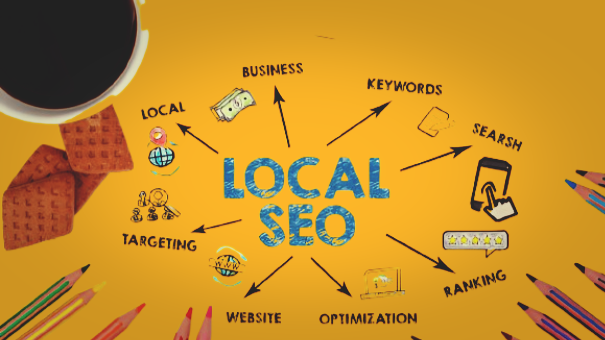
Local SEO: Dominate Your Neighborhood in 2025! Local SEO is crucial if you’re a brick-and-mortar business aiming to attract nearby customers. Here’s your roadmap to becoming the go-to spot in your community: 1.  Why Local SEO Matters for Physical Stores Bridges online-to-offline: Most customer journeys start online but end in-store bluefrogdm.com+1linkedin.com+1. Drives quick foot traffic: Google says 76% of local searches result in a store visit within a day . Builds community trust: Active local visibility strengthens brand awareness and credibility proceedinnovative.com+2fourfront.us+21digitalagency.com+2. 2.  Google My Business (GMB): Your #1 Local SEO Asset Claim & verify your profile. Complete every section: Name, address, phone, business hours, website, business description, attributes, and FAQs linkedin.com. Post updates weekly with offers, events, and photos . Select accurate categories—be specific (e.g. “Italian Restaurant,” not just “Restaurant”) . Track & tweak based on insights: views, actions, search queries score.org+9crystallize.com+9fourfront.us+9. 3.  NAP Consistency: Name, Address, Phone—Get It Right! Keep your NAP uniform across GMB, website, directories, and social profiles 1digitalagency.com+3alliai.com+3linkedin.com+3. Use identical formatting (e.g., “St.” vs. “Street”)—mismatches confuse search engines and customers bluefrogdm.com. Include NAP on every page of your site (usually footer or contact page). 4.  Online Reviews: Your Trust & Ranking Fuel Encourage reviews on Google and other platforms by asking happy customers. Respond promptly—thank positive reviews and handle negatives professionally 1digitalagency.com+3alliai.com+3crystallize.com+31digitalagency.com+7linkedin.com+7crystallize.com+7. Reviews influence both customer trust and search rankings, especially‑rated businesses appear higher in Map Pack alliai.com+1crystallize.com+1. 5.  Local Keyword Targeting Optimize your website and GMB with search terms like “best coffee shop in Thrissur” 📝. Use keyword tools to discover local search phrases and weave them naturally into titles, meta tags, headers, and content . Also create location landing pages if you have multiple stores, each with its own address and local keywords fourfront.us+3bluefrogdm.com+3crystallize.com+3. 6.  Bonus Tips & Extras Use LocalBusiness schema markup on your website to help search engines display critical info like hours and phone number alliai.com. Add high-quality photos and videos to your GMB and site—profiles with photos get 42% more direction requests . Build local citations (mentions in directories, event listings, local blogs)—they serve as trust signals . Track performance via Google Analytics and GMB Insights; adjust based on what’s working linkedin.com+1proceedinnovative.com+1. 🎯 Quick Local SEO Action Plan Claim & optimize GMB—fill out everything, post updates, choose precise categories. Ensure NAP consistency across all platforms. Ask customers for reviews—then respond to all of them. Research and apply local keywords on your website and pages. Add local schema markup and directories to build trust. Monitor results monthly and improve continuously.  Bottom Line Local SEO isn’t optional—it’s essential for any brick-and-mortar business. You’re not just competing with big brands; you’re vying for your neighbors’ attention. By mastering GMB, NAP consistency, reviews, local keywords, and citations, you’ll boost foot traffic, build trust, and watch your store rise to the top—both online and offline.

Local SEO: Dominate Your Neighborhood in 2025! Read More »